How to Use The Stack API
In this guide, we will walk you through how to use The Stack API to query data programmatically, from obtaining your API key to sending your first requests.
1. Registration & Verification
To get started, create an account on The Stack Registration Page.
After registering, you will receive an automated confirmation email with a verification link. Make sure to check your inbox (and your spam folder if you do not see it within a minute).
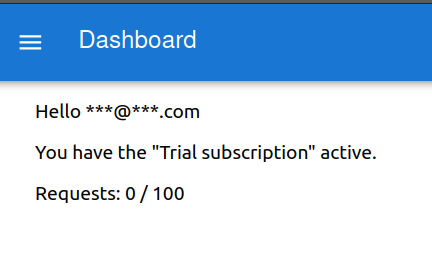
Clicking the link verifies your account and activates your free trial credits, visible on your Dashboard:
2. Generating Your API Key
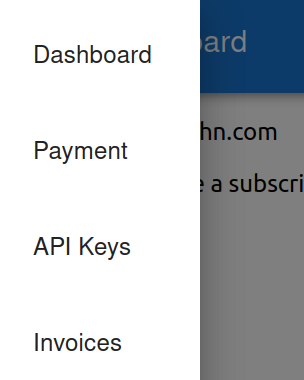
Once verified, navigate to the API Keys section:
- Click “Generate New Key”.
- A secure modal will appear displaying your newly minted secret API key:

Important: Copy and store your secret key in a secure password manager or
.envfile immediately. For security reasons, secret keys are never displayed again after closing this window.
You can create up to 3 keys simultaneously for different environments (e.g. production, staging, or local development).
3. Sending Your First Requests
Every request to The Stack API is authenticated by passing your secret key in the X-API-KEY HTTP header.
Example A: Searching Reddit Posts
You can query indexed Reddit submissions by subreddit, keyword search, score, and publication date:
| |
Example B: Searching Investor Profiles
Query verified angel investors, VCs, and funds filtered by location and investment preferences:
| |
Query Parameters
page&per_page: Standard pagination controls (default 15, max 100).sort_by&order: Sort fields (e.g.posted_at,score,updated_at) withascordesc.X-API-KEY: Your authentication token passed as a request header.
The API returns a clean JSON response containing your dataset, pagination metadata, and total counts.
4. Interactive API Documentation (Swagger)
We provide comprehensive OpenAPI / Swagger documentation for all available endpoints at thestack.es/api/docs/.
You can test any endpoint directly inside your browser by expanding an operation and clicking “Try it out”:

5. Integrating with No-Code & Spreadsheet Tools
If you are not writing code in Python, JavaScript, or cURL, you can easily connect The Stack API to your daily workflow tools:
- Spreadsheets: Use extensions like API Connector or native
IMPORTDATAin Google Sheets and Microsoft Excel to pull live data into your spreadsheets. - API Clients: Import endpoints directly into Postman or Insomnia for prototyping and inspection.
- Workflow Automation: Connect your API key to tools like Make, Zapier, Retool, or Clay to build automated lead enrichment pipelines.